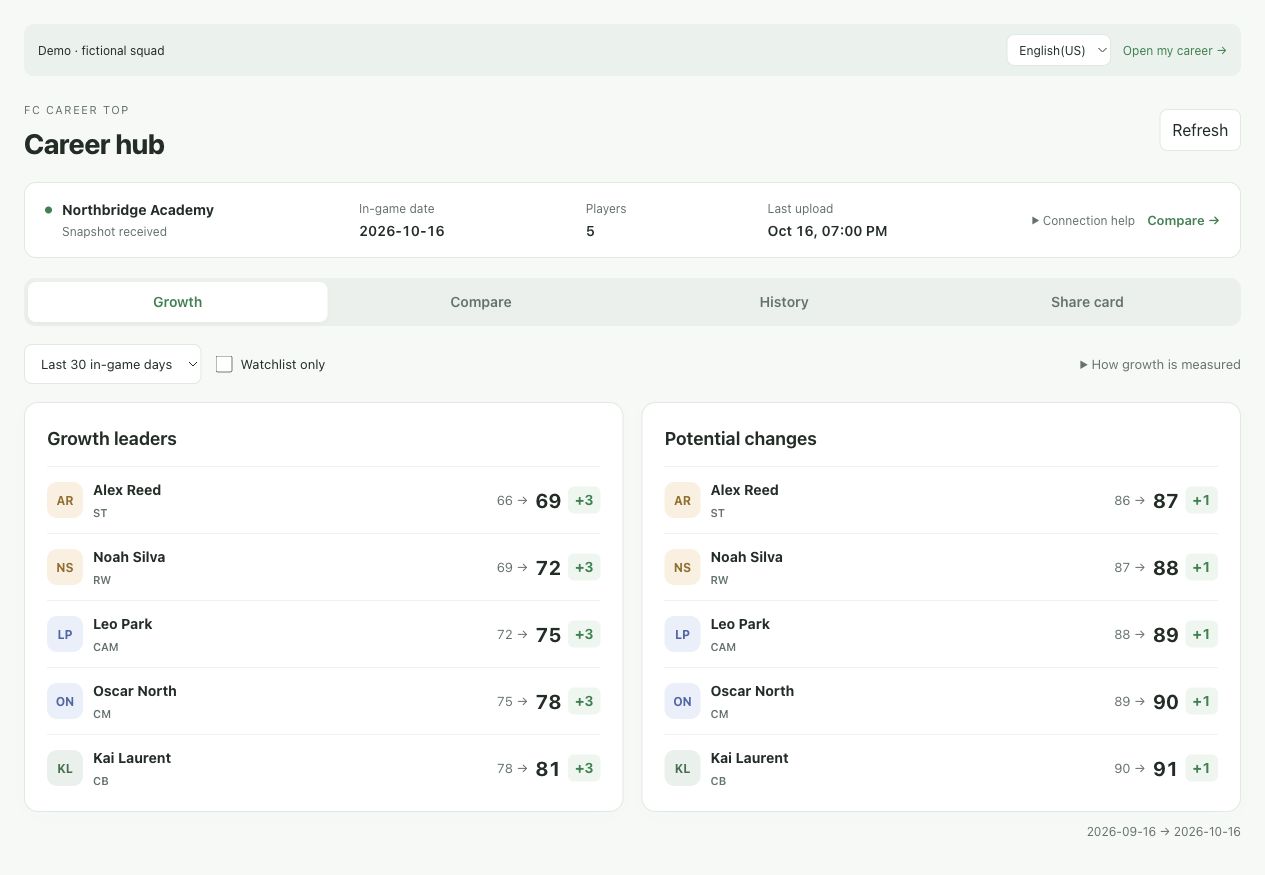
See who is improving
Ratings before and after, clear growth leaders and separate timelines for every career save.
FOR EA FC MANAGER CAREER MODE
Track player growth, compare your squad and keep each career save in its own timeline. Free, automatic and easy to check.
Connect your career on Windows with Live Editor. View your squad on desktop or mobile.
KNOW YOUR SQUAD
Ratings before and after, clear growth leaders and separate timelines for every career save.
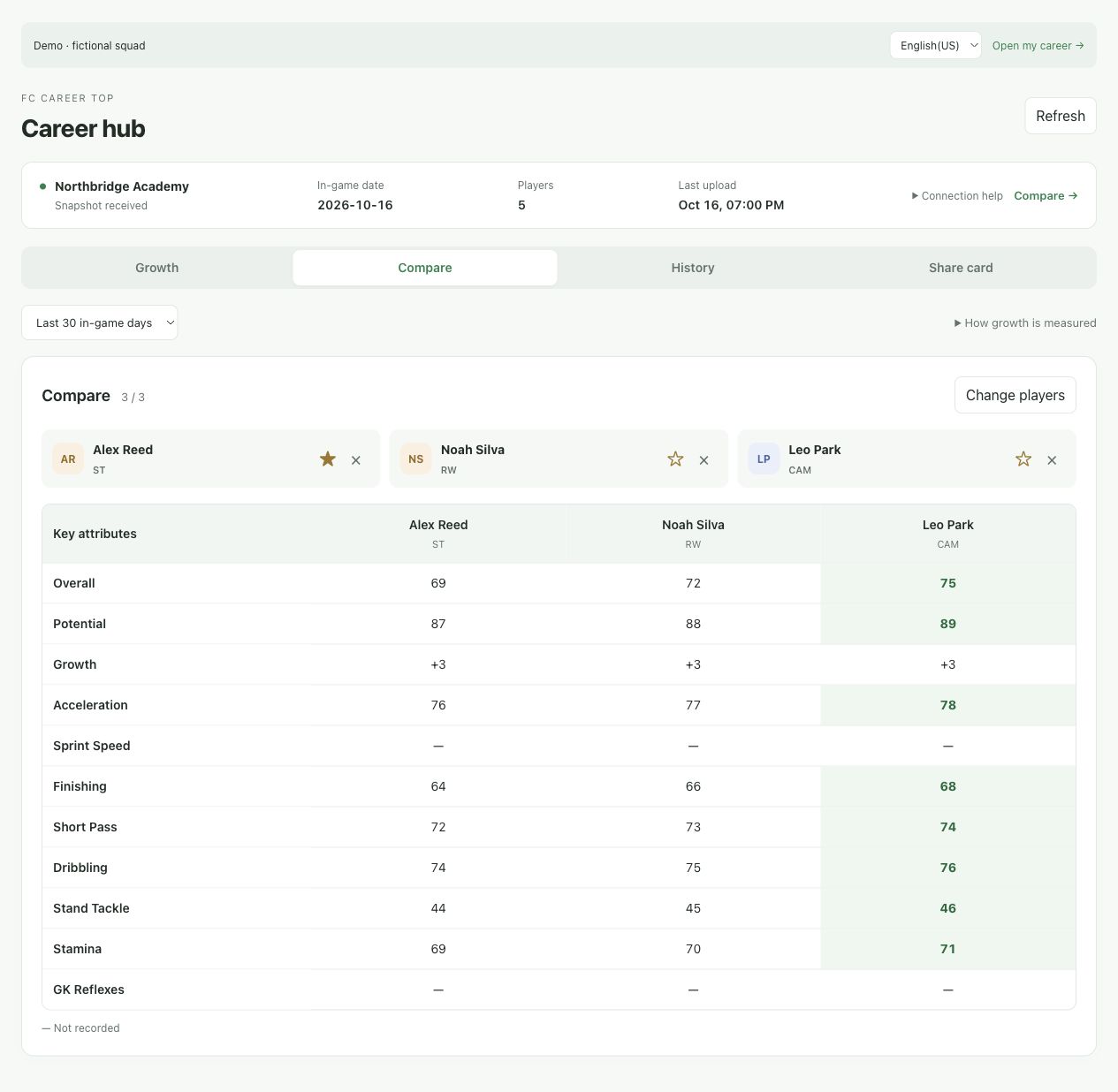
Compare up to three players. See their positions, current ratings and strongest attributes together.
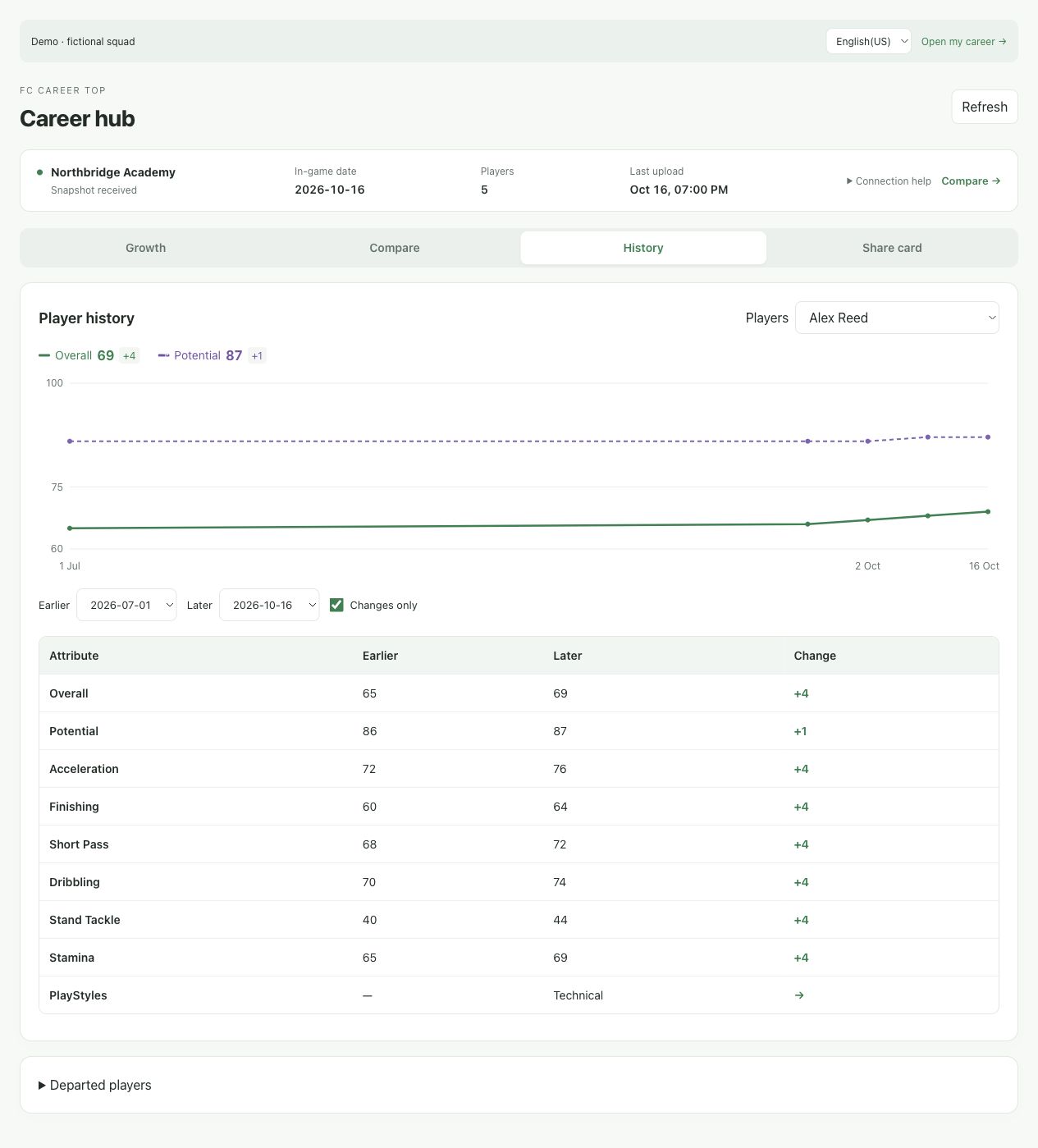
Distinct rating and potential lines, plus recorded attribute changes between the dates you choose.
A SIMPLE ROUTINE
Run the setup script each time you reopen your career. The dashboard takes care of recording your squad while it is active.
Sign in with Google or register with your email.
Select your FC version and follow the Live Editor setup guide.
Check your squad, growth charts and notifications as the season progresses.
MADE FOR YOUR ROUTINE
The dashboard fits your phone and desktop. Choose English, Simplified Chinese, French, German or Japanese. Your uploaded player history follows your account.
Sign in with Google or email. Keep your careers, watched players and notifications together.
Explore the demo →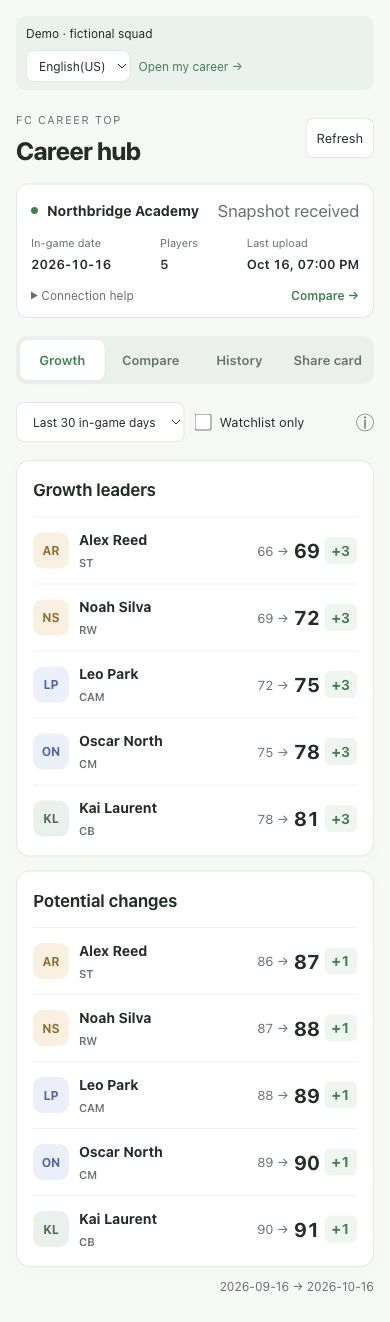
A free companion dashboard for EA FC Manager Career Mode. It keeps a record of your squad so you can follow player development without maintaining a spreadsheet.
A Windows PC, EA FC 24, 25, 26 or 27, a matching Live Editor, and an FC Career Top account. The setup guide walks you through connecting your career.
Collecting career data requires Live Editor on Windows, so console saves cannot connect through this workflow. Once your PC squad has been uploaded, you can view the dashboard in a browser on your phone or computer.
Run your personal setup script in Live Editor while your Manager Career Mode save is loaded. It records an initial squad snapshot and then updates as in-game weeks pass while the script is running. Run it again when you reopen the game.
Yes. Choose Google on the login screen, or use an email and password. You can see your Google connection status in Settings.
Create separate, named careers within each FC version. Each setup script stays bound to its selected career. Existing data remains in your default career.
Free to use. Built for career-mode players. Source code available on GitHub.
FC Career Top is an independent community project and is not affiliated with Electronic Arts. Screenshots show fictional players and illustrative career data.